FAQ & Troubleshooting
Wheel of Names Aesthetic Themes: Colors, Palettes, and Backgrounds
You don't need a separate "aesthetic" wheel site. A built-in style picker with 66 named palettes covers most looks people search for.
Key takeaways
- The built-in style picker has 7 categories and 66 named palettes, from soft Pastel and Cotton Candy tones to Neon Vaporwave and Cyber.
- Palette browsing works on nearly every tool page. The one exception is the Color Picker Wheel, whose slices are the colors themselves.
- A palette recolors every slice at once, and you can still override one slice's color by hand afterward if you want a single accent to stand out.
- Background images and per-label color mode live in the full editor on the homepage, not on the individual tool pages.
Short answer
There's a built-in style picker for exactly this.
Open "Slice colors" on any wheel and choose "Browse all styles" to see every palette grouped by category.
No separate site, no download, no account. It's the same free tool you're already using.
The built-in palette library
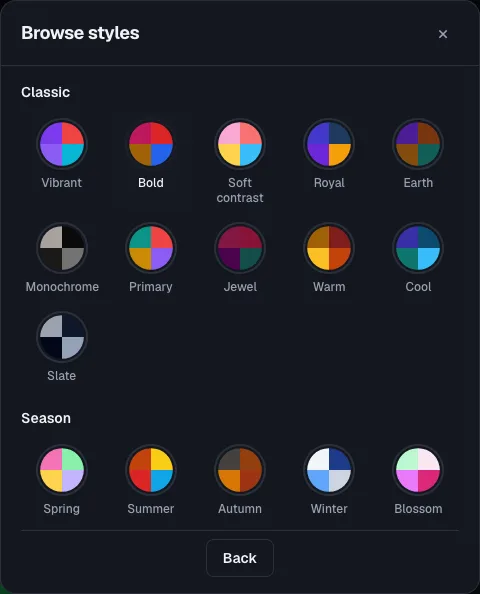
Palettes are grouped into 7 categories, most with 10-11 named options:
- Classic: Vibrant, Bold, Royal, Jewel, Monochrome, and more grounded, everyday looks.
- Pastel: Cotton candy, Lavender, Mint, Peach, Sky, Rose, Lilac, and other soft tones.
- Neon: Arcade, Cyber, Vaporwave, Synthwave, Retro, Glow, Laser, Disco, Matrix, Electric.
- Nature: Forest, Ocean, Desert, Sunset, Aurora, Tropical, Rainforest, Volcanic.
- Season: Spring, Summer, Autumn, Winter, Blossom, Harvest, Frost, Equinox, Solstice.
- Festival: Christmas, Halloween, Valentine, Diwali, New Year, and several more.
- Games: a small set tied to specific game-inspired wheels on the site, including four GTA city palettes and a Poké Ball palette.
Where to find it
On any tool page, look for the "Slice colors" button above the wheel and choose "Browse all styles."
Pick a category, then tap a swatch to recolor every slice at once.
The one exception is the Color Picker Wheel: its slices already represent actual named colors, so the style picker is turned off there by design.
For a general-purpose wheel to test palettes on, try the random wheel generator or what to eat wheel.
Backgrounds and label colors (full editor)
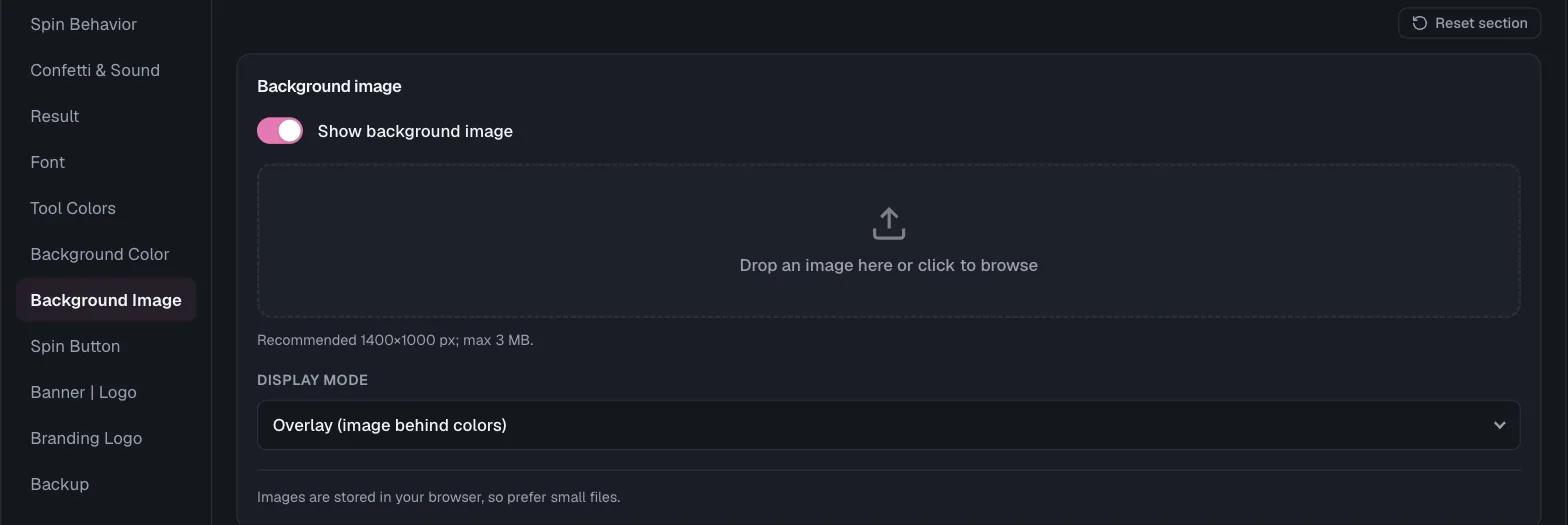
Two more looks live in the full wheel editor on the homepage, not on the individual tool pages.
A background image you upload yourself, shown as an overlay behind the colors, as the sole background, or hidden in favor of colors only.
And label text color, left on Auto (picks black or white per slice for contrast) or set to a custom color of your own.
Background images are stored in your browser, so smaller files load faster.
Mixing a palette with your own accent color
Applying a palette recolors every slice, but it doesn't lock them.
After picking a category you like, you can still edit one entry's color by hand.
Use this if you want a single slice, a top prize, a highlighted name, to stand out from the rest.
Palette ideas by vibe
- Cute or soft: Pastel category, especially Cotton candy, Lavender, or Blush.
- Y2K or dopamine decor: Neon category, especially Vaporwave, Synthwave, or Retro.
- Calm or nature-inspired: Nature category, especially Aurora, Tropical, or Forest.
- Seasonal event or holiday livestream: Festival category, matched to the actual date (Halloween, Christmas, Diwali).
- Understated for a work or classroom setting: Classic category, especially Monochrome or Slate.
Frequently asked questions
- Is there a cute or pastel wheel of names theme?
Yes. Open "Slice colors" → "Browse all styles" and pick the Pastel category. Cotton candy, Lavender, and Blush are among the softer options in it.
- Can I make a neon or Y2K-style wheel?
Yes, the Neon category covers this: Vaporwave, Synthwave, Cyber, and Retro are all named palettes in it.
- Do I need to download a separate app for a themed wheel?
No. The style picker is built into the same free wheel tool, on the same page you're already using.
- Can I use my own photo as the wheel's background?
Yes, from the full editor on the homepage, not the individual tool pages.
Upload an image and choose whether it shows behind the slice colors, replaces them, or stays hidden.
- Will applying a palette overwrite colors I already set by hand?
Applying a palette recolors every slice at once. If you want one slice to keep a custom color, re-set it after applying the palette, not before.