FAQ & Troubleshooting
Wheel of Names App: Is There a Mobile Version?
No native app, but you don't need one. It installs straight from your browser as a Progressive Web App, and it works fully offline once installed.
Key takeaways
- There's no native app in the App Store or Google Play. Instead, wheelofnames.io installs directly from your browser as a Progressive Web App (PWA).
- Once installed, it works fully offline after your first visit: the wheel spins, sounds play, and your saved entries persist even with no connection.
- Installing takes one tap on Chrome/Edge (Android and desktop) or a quick manual step on iOS Safari; either way, it's the same free tool, not a separate paid version.
Short answer
No native app, but you don't need one. The site is built as an installable Progressive Web App, meaning your browser can add it to your home screen.
It opens full-screen, with its own icon, and works offline, without ever going through an app store.
How to install it
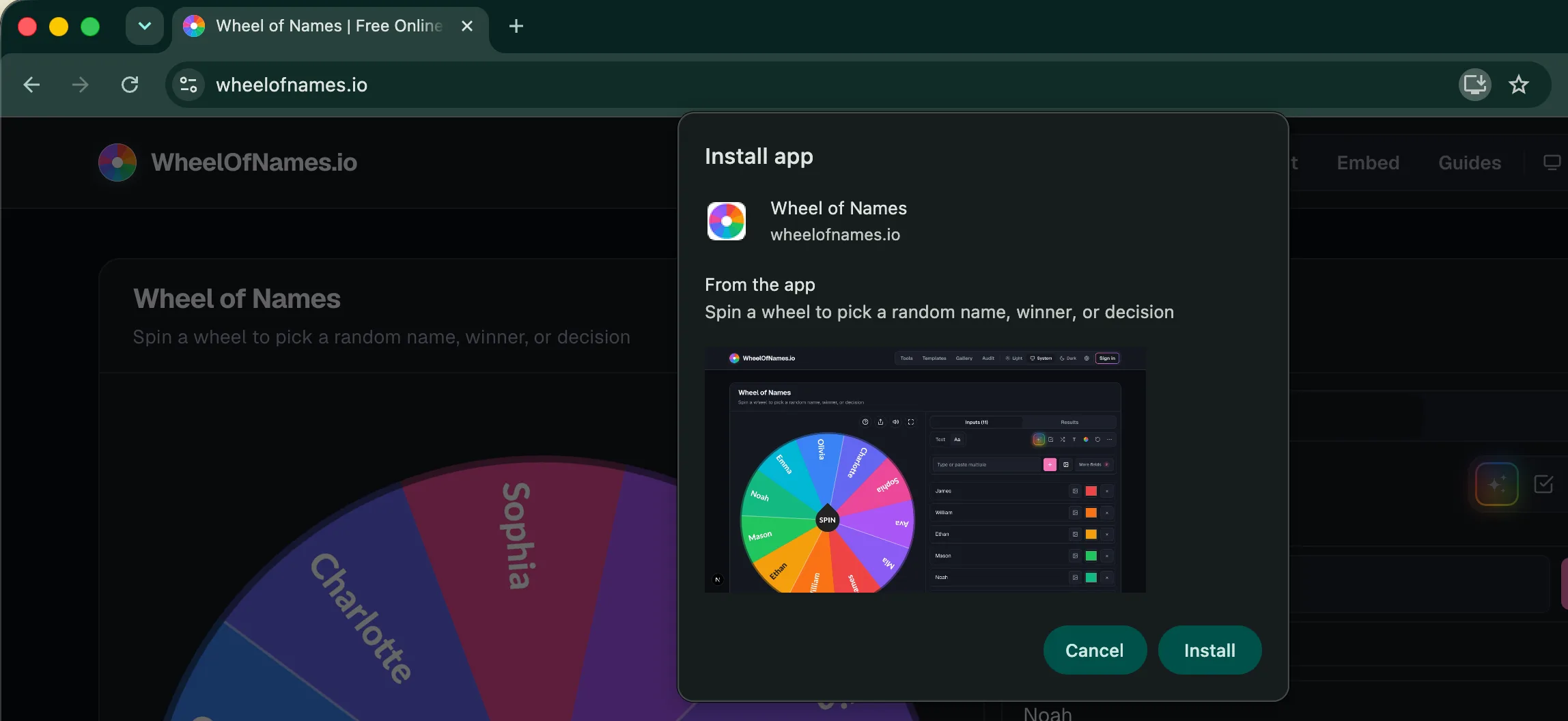
- Android / Chrome or Edge: open the site and a one-tap "Install app" button appears (the browser's native install prompt). Tap it, and it's added to your home screen and app drawer like any other app.
- iPhone / iPad (Safari): iOS doesn't support one-tap PWA installs, so it's manual: tap the Share icon, then "Add to Home Screen."
- Desktop (Chrome/Edge): an install icon appears in the address bar; clicking it opens the wheel in its own app window, separate from your regular browser tabs.
One requirement to know about
Installation requires HTTPS (which the production site uses), and it won't work over a plain http:// connection, though that's not something you'd normally encounter.
What actually works offline
This isn't a vague "it might work offline." The specifics are concrete:
- The wheel itself spins offline. After one online visit, the app shell (HTML, JS, CSS, fonts) is cached by a service worker, so reopening it with no connection still loads and works.
- Spin sounds play offline too. The tick and fanfare sound effects are cached the first time you hear them online, then reused from cache afterward.
- Your entries and settings persist offline. Wheel data is stored in your browser's local storage, not fetched from a server on each load, so it survives being fully offline.
- What doesn't work offline: anything that needs a live connection to a server, such as signing in, saving a wheel to your account, or opening a shared wheel link you haven't loaded before.
PWA vs. a native app: the practical difference
- No app store review or update wait: you install straight from the browser, and updates roll out the same way (a banner prompts you to reload when a new version is ready).
- Same tool, not a stripped-down version: installing doesn't unlock or restrict anything. It's the identical web app, just launched from a home-screen icon instead of a browser tab.
- Uninstalling is the same as removing any app icon: long-press and remove, no App Store/Play Store account interaction needed.
Do you even need to install it?
If you use it occasionally, the plain mobile browser version behaves the same for the core spinning functionality.
Installing mainly saves you the step of finding the site again, and gets you the full-screen, no-address-bar view plus offline access.
Frequently asked questions
- Will a native app be released in the future?
Nothing in the current build points to a native app in progress. The PWA is the supported mobile path today.
- Does the installed version cost anything extra?
No. Installing doesn't change pricing. It's the same free tool either way.
- Will my saved wheels sync between the installed app and the regular browser?
If a wheel is only saved to local storage, it stays with that specific browser/install and won't automatically appear elsewhere.
If you're signed in and using a shared wheel link, that's tied to your account rather than one browser, so it's accessible from any device where you sign in.
- Why does the install prompt look different on iPhone than on Android?
iOS Safari doesn't support the same one-tap "install app" browser prompt Chromium browsers use.
So Apple requires the manual Share → Add to Home Screen path instead. That's a platform limitation, not something specific to this site.