Alternatives & Comparisons
Wheel of Names vs Picker Wheel: Which Should You Use?
Both are free, browser-based name-picker wheels with no signup for basic spinning. The real differences are monetization model and feature breadth.
Key takeaways
- Both are free, browser-based random-name-picker wheels with no signup required for basic spinning. The real differences are in monetization model and feature breadth, not core function.
- Picker Wheel is the more versatile tool: three wheel modes (decision, name picker, yes/no), AI-generated entry suggestions, and account-based cloud saving, but it shows ads on the free tier, with a paid plan specifically pitched around removing them.
- Wheel of Names has no paid tier at all ("100% free, without any paywalls") and lets you close ads for the session; wheelofnames.io limits itself to one anchor ad, with none in its embed player.
Quick verdict
The main difference between Wheel of Names and Picker Wheel is monetization and scope.
Wheel of Names is a single-purpose, no-paywall name picker. Picker Wheel is a broader multi-mode tool (decision, name, yes/no) gated by an ad-supported free tier.
This table reflects what each tool states about itself as of this writing.
Verify current details on their own pages before making a decision, since free/paid feature splits change over time.
| Wheel of Names | Picker Wheel | |
|---|---|---|
| Signup required | No | No for basic use; optional account for saving |
| Ads | Yes, closable per session | Yes, on free tier |
| Paid tier | None (stated as "100% free, without any paywalls") | Yes; premium removes ads, adds cloud storage, HD images, higher result-collection limits |
| Saving | Cloud or local | Cloud (up to 15 files free) |
| Sharing | Short generated link | Three modes: read-only guest link, live-editable link, response-collection link |
| Multiple wheel types | One (name picker) | Three (decision wheel, name picker, yes/no wheel) |
| Randomness claim | States use of crypto.getRandomValues() | Not stated |
| Mobile | Web only | Installable web app; no native store app |
Interface and ease of use
Both tools follow the same core interaction: paste or type a list, click the wheel, watch it spin, read the winner.
The difference shows up once you go past a single spin. Picker Wheel's mode switcher is useful if you run different draws in one session.
A yes/no wheel for a warm-up, then a name wheel for the main pick, without leaving the tab.
Wheel of Names keeps to one job: picking a name. That's a simpler interface to hand to someone new, since there's no mode to choose first.
Customization
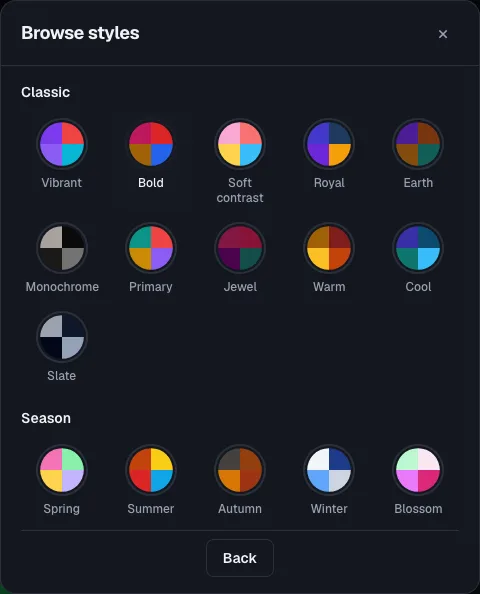
Both support changing slice colors and adjusting spin duration and sound.
Picker Wheel's breadth shows here too: since it also serves decision-wheel and yes/no use cases, its customization surface is a little wider.
If name picking is genuinely all you need, that extra surface area is mostly unused rather than harmful.
But it means slightly more UI to scan before finding the setting you want.
Saving and sharing wheels
This is where the two tools diverge most in practice. Picker Wheel ties saved wheels to a free account, with up to 15 files stored in the cloud.
It offers three distinct sharing link types: view, edit, or submit responses. That third mode, collecting responses, is useful if you're gathering structured input from a group first.
For example, "everyone submit a topic, then we spin." Wheel of Names supports both cloud and local-only saving, plus a single shareable link.
That link makes no distinction between viewer and editor access.
If you run the same list repeatedly (a class roster, a standing team), that saving mechanism matters more than any visual feature.
wheelofnames.io's picker takes the no-account route: build a wheel, share it by link, no signup on either end.
That matters for handoff scenarios: a substitute teacher, or a co-host who's never touched either tool, doesn't have five minutes to create an account before the draw starts.
Handling larger name lists
Neither tool's page states a hard entry cap, but real-world usage differs once a list gets into the hundreds.
A wheel with 15-30 slices stays readable; push past 100 and labels compress until a projected screen or livestream overlay becomes hard to read.
If your use case is closer to "draw one winner from 500 giveaway entrants" than "call on one of 25 students," check a tool that documents its large-list randomness.
UPLUP states it switches to a server-side cryptographically secure RNG for large lists, a different architecture from either tool compared here.
Ads and pricing
Neither tool charges for the core spin-a-wheel function. Where they differ is what "free" actually includes:
- Picker Wheel shows ads on its free tier and is explicit that its paid plan's headline benefit is removing them, alongside more storage and higher result-collection limits.
- Wheel of Names shows ads too, but lets you close them for the session, and states there's no paywall on any feature: the free tier is the only tier.
Which one to pick
- You want yes/no, decision, and name-picking in one place, and don't mind an account for saving: Picker Wheel's multi-wheel switcher and cloud storage save you from juggling separate tools.
- You want the simplest possible flow for a single recurring list, no account: a focused name-picker with link-based saving is faster to hand off to a co-teacher or teammate.
- Classroom cold-calling or forming groups: either works; if you want a tool purpose-built for the classroom use case specifically, try wheelofnames.io's random student picker.
- Running a raffle or giveaway: prioritize a tool with a documented randomness method (both Wheel of Names and, separately, UPLUP state they use a cryptographic RNG); see our fair raffle guide and the raffle wheel.
- Ads on the shared screen are the deal-breaker: wheelofnames.io's embed player shows none, and the main site keeps to one anchor ad.
Ready to try it yourself?
Open the toolFrequently asked questions
- Is one more "random" than the other?
Wheel of Names states it uses crypto.getRandomValues(), a cryptographically strong source, rather than the more common Math.random().
Picker Wheel doesn't publish a randomness claim on its site. For everyday classroom or team picks the difference is unlikely to matter.
For a giveaway where fairness might get questioned publicly, the documented method is a better answer to have ready.
For how a spin is actually decided, see is Wheel of Names rigged.
- Can I switch between them without losing my list?
Not automatically: copy your name list as plain text and paste it into whichever tool you're testing. Neither currently offers a cross-tool import.
- Which is better for a livestream giveaway?
Either works on screen share. Wheel of Names' closable ads or wheelofnames.io's ad-free embed player both avoid a banner competing for viewer attention during the reveal.
That matters more for a live audience than the feature list.
- Does either tool support importing a spreadsheet or Google Sheet?
Neither tool's own page confirms native spreadsheet import; both describe pasting a plain-text list as the input method.
If your roster lives in a spreadsheet, copy the name column and paste it directly; that works on both without any conversion step.
- What happens if I need to remove a name after it's already won, for a multi-round draw?
Neither Wheel of Names nor Picker Wheel documents a dedicated "eliminate winner" mode, unlike GoSpinWheel or Spinningwheel.io, which build that in explicitly.
If you're running several rounds and don't want repeat winners, you'll likely need to manually delete the winning entry between spins on either tool.