Classroom & Teacher Guides
How to Use Wheel of Names in the Classroom
Calling on students by raised hand quietly rewards the same confident kids every time.
A wheel of names fixes that with a visible, unbiased spin, and the research backs up why that matters.
Key takeaways
- Cold calling (asking a specific student rather than waiting for volunteers) increased voluntary participation by 60% over a school year in one study, and closed a gender gap in participation in another.
- Setup takes under two minutes: paste your class list from a spreadsheet, pick a color theme, spin. Per-entry weighting or photos need the full editor on the homepage, not the classroom tool page.
- How you frame the spin matters as much as the randomness itself: pose the question before naming the student, and treat a wrong answer as useful information rather than a gotcha.
Why randomize who you call on
Cold calling has been studied directly in college and K-12 settings, and the findings are more specific than "it's fairer":
- A 2013 Northeastern University study of 16 college classrooms found that cold calling increased voluntary participation by 60% over the academic year, compared with classrooms that relied on volunteers only (Edutopia, 2023).
- A 2019 study found that when hand-raising was the only path to speak, male students spoke more often than female students, and that gap closed once teachers used regular, structured cold calling (Edutopia, 2023).
- The approach matters as much as the mechanism: a 2022 study of 86 cold-calling events found warm framing (posing the question first, giving thinking time, treating a wrong answer as useful information) reduced anxiety, while confrontational framing increased it (Edutopia, 2023).
- Randomized selection also supports formative assessment: you get a more representative read on whether the whole class understood the lesson, not just the students who volunteer (Wiliam, 2011, cited in Structural Learning).
A spinning wheel makes the randomness visible
A spinning wheel adds something a name-in-a-jar can't: the randomness is visible. Students watch the pointer land, so the pick reads as the wheel's decision, not the teacher's.
That's the "warm," non-punitive framing the research above points to.
Step 1: Add your class list
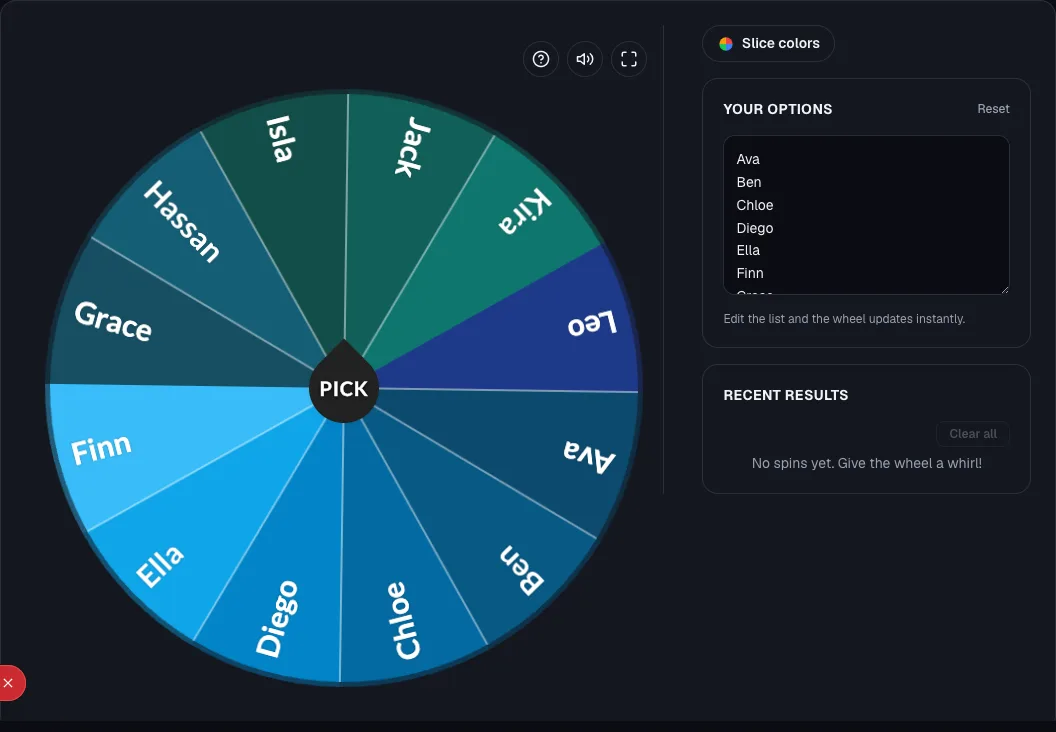
Open the random student picker. Build your list either way:
- Paste or type names directly: one per line in the text box next to the wheel.
- Paste straight from a spreadsheet: copy a column of names from your gradebook or class list and paste it in. Each line becomes one entry, so there's no retyping.
The list holds up to 500 entries
The tool holds up to 500 entries on one wheel, which comfortably covers any class roster, and a whole year group if you need it.
If you teach the same group regularly, this is the only step you'll repeat often. Your color theme and list are saved with the wheel.
Step 2: Customize for engagement (optional but worth it)
A plain list of names works, but small additions make the spin part of the lesson, not just a utility. The classroom tool page keeps this simple on purpose.
For the two features below that go beyond it, use the full editor on the wheelofnames.io homepage instead (it's the same wheel engine with more per-entry controls exposed):
- Color theme: each name gets its own slice color automatically from the current palette; open Slice colors to pick one that matches a unit theme. Available directly on the classroom tool page.
- Images per entry (full editor only): toggle on the image column and attach a photo or icon next to each name. Useful for younger students who recognize faces faster than text, or for turning a vocabulary wheel into a picture wheel.
- Sound: the built-in tick and win sound turn the pick into a small classroom moment instead of a silent selection. Available directly on the classroom tool page.
Step 3: Spin and use the result
Click the center SPIN button (or tap it on a touchscreen/interactive board). The wheel spins, slows, and highlights the winning name. From there:
- Call on the student to answer a question you've already posed to the whole class. Asking the question before spinning gives every student thinking time and avoids the "gotcha" feeling that raises anxiety, per the research above.
- Use it for turn order: first presenter, first to pick a project topic, first through a review station.
- Form groups: spin repeatedly and build teams from the sequence of names that come up.
Step 4: Save the wheel for reuse
The classroom tool page saves your roster and color theme to your browser automatically as you edit. There's nothing to click.
That covers reopening the same wheel on the same browser next class.
If you want a shareable link so students can spin it themselves from their own device, build the wheel in the full editor on the homepage instead.
Or if you want to embed it in a slide deck, do the same. Sharing isn't available from the classroom tool page itself.
See how to customize and save a wheel of names for the full walkthrough, including what to check if a save doesn't stick.
Classroom-specific tips
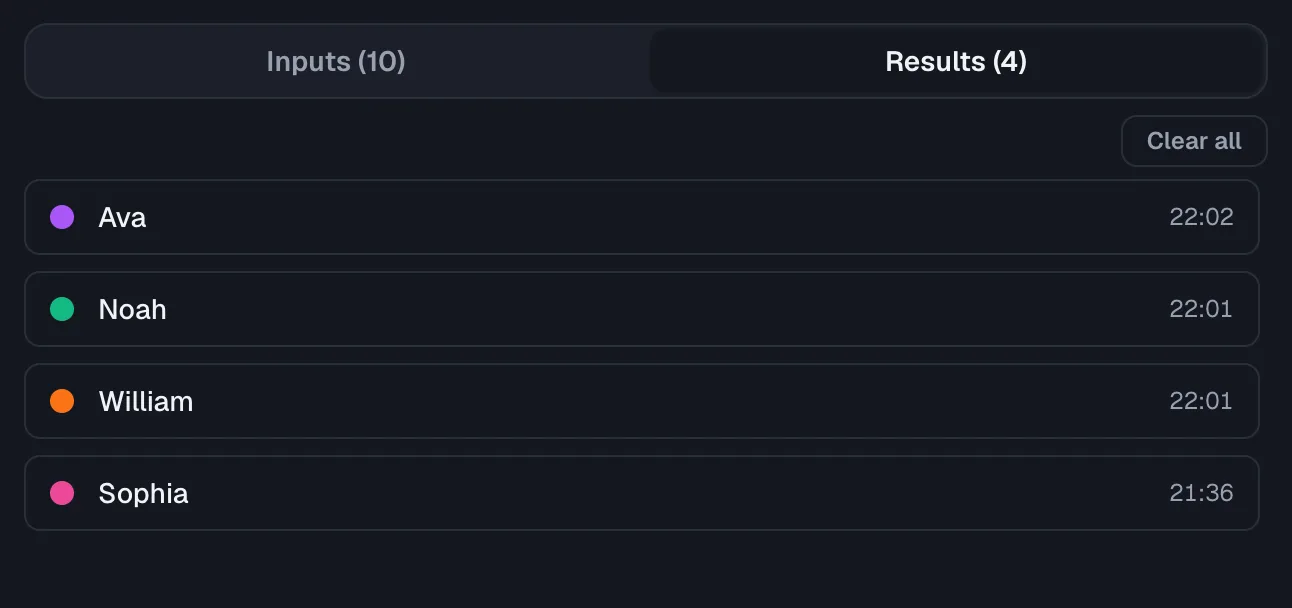
Remove names after they're picked, if you want everyone to go once. Delete a called-on student's entry after their turn, or drop their weight to 0 in the full editor.
That way the wheel only re-includes them once you reset the list.
This mirrors the "equity sticks" technique researchers describe: pulling a name out of the cup once it's used (Edutopia, 2023), just automated.
Weight for fairness, not just randomness, if you're using the full editor.
Every entry defaults to equal odds, but you can raise the weight on students who haven't been picked recently.
Or lower it for someone just called, if you're running the wheel across multiple sessions and tracking participation.
This control lives in the full editor, not the classroom tool page.
Give thinking time before naming the student, not after.
Wait-time research from Rowe (1986) found that extending think time from one to three seconds meaningfully improved response quality and length (Structural Learning).
So pose the question, count silently to three, then spin.
Use "warm calling" for anxious students. If a student struggles with being put on the spot, tell them in advance which day or topic they'll likely be called on.
Do this rather than relying purely on the random spin.
Ready to try it yourself?
Open the toolFrequently asked questions
- Do students need an account to use the wheel?
No. You can build and spin a wheel with no sign-up.
An account is only useful if you want to sync saved wheels across devices or manage a list of shared links from one place.
- Can I reuse the same wheel every day without re-entering names?
Yes. Save it once, then reopen the same saved wheel each class period. Only edit it when your roster changes.
- Is it free?
Yes. See the full breakdown in Is Wheel of Names Free?
- What if I teach multiple class periods with different rosters?
Save a separate wheel per class or period rather than editing one wheel's list between periods. It's faster and avoids accidentally spinning the wrong roster.
For a version pre-configured for this exact workflow, try the random student picker.
Sources
- Edutopia: Does Cold Calling Work? Here's What the Research Says (2023)
- Structural Learning: Cold Calling in the Classroom, A Teacher's Guide