Team & Remote Meetings
Using Wheel of Names on Zoom Meetings
On Zoom, "who wants to go first?" usually means five seconds of dead air. A visible, audible random pick breaks that silence without anyone having to volunteer.
Key takeaways
- Stanford researchers identified excessive self-view and constant close-up eye contact as two of the four core drivers of Zoom fatigue. A wheel gives the group something else to look at besides their own webcam tile.
- A 2025 study in Scientific Reports found turning off self-view measurably reduced cognitive load and fatigue in video calls, reinforcing that shifting visual focus away from faces (like onto a shared wheel) has a real, studied effect.
- Setup is the same as an in-person wheel; the only new step is screen-sharing correctly so remote participants can actually see it spin.
- For lightweight, occasional engagement (icebreakers, random picks), a free wheel is a much smaller lift than a full audience-engagement platform like Slido or Mentimeter, which start free but charge $12.50-$200+/month once you need bigger groups or more question types.
Why a visual random pick works well on video calls specifically
Video calls strip out most of the ambient social cues a room gives you for free: no raised hands you can casually notice, no one leaning forward to volunteer.
Stanford's Jeremy Bailenson, one of the first researchers to formally study "Zoom fatigue," identified close-up mutual eye contact and constant self-view as two of its main drivers.
A 2025 study in Scientific Reports on university online education found that turning off self-view specifically reduced measured cognitive load and fatigue.
A shared wheel doesn't turn off self-view for people, but it gives the group a shared focal point that isn't a grid of faces.
That's the same logic behind why screen-shared polls, whiteboards, or slides feel like a relief partway through a long call.
Step 1: Set up the wheel before the call
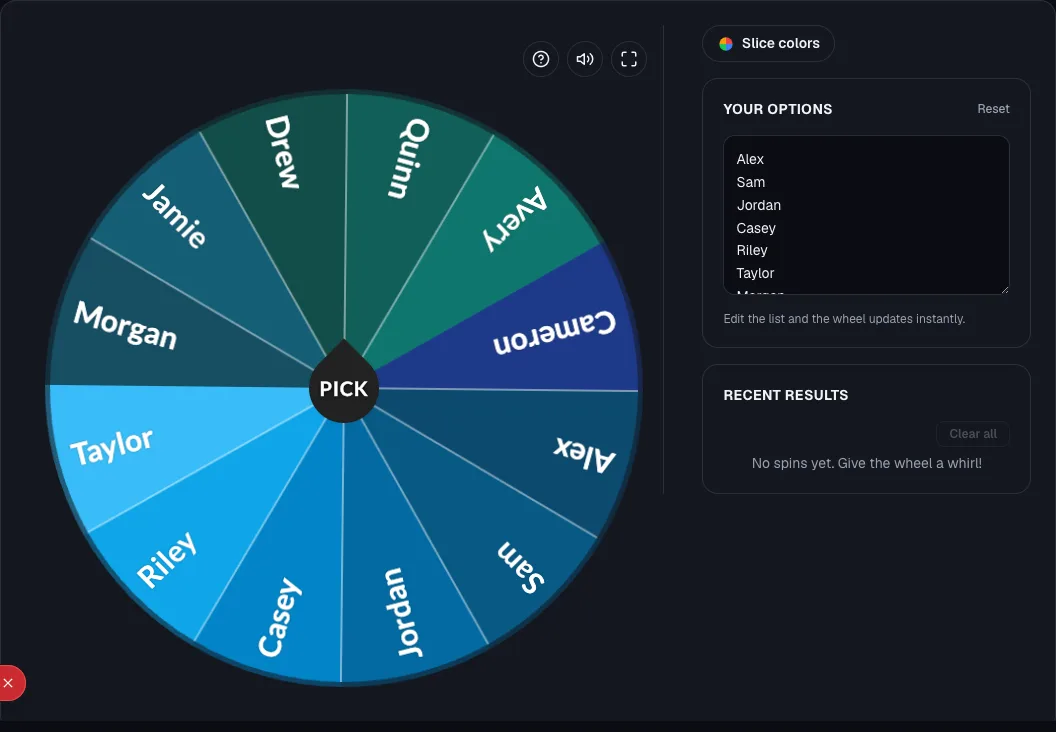
Build your list and customize the wheel ahead of time using a team generator wheel or random name picker, and save it.
Don't build the list live in front of a waiting group. Assembling a list while people watch is a common way a quick icebreaker turns into a stall.
For the general setup steps and how this compares to dedicated Slack tools, see the random team picker wheel guide.
Step 2: Screen-share it correctly
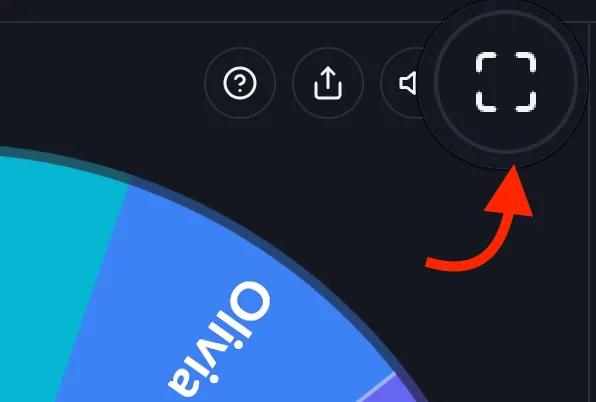
- Share the specific browser tab or window with the wheel, not your full desktop, so notifications and other tabs don't show up.
- Zoom in your browser (Ctrl/Cmd + Plus) if the wheel or entry text looks small once shared, since screen-share compression can make fine text harder to read than it looks locally.
- Test the share for a few seconds before a larger or more formal call so you're not troubleshooting live in front of the group.
- For big meetings where a shared screen is hard to read on everyone's device, send the wheel's saved shareable link in chat instead so each participant can watch the same wheel spin on their own screen.
Step 3: Use it for actual engagement, not just utility
Good remote-specific use cases, beyond just "picking a name":
- Icebreaker order: spin to decide who answers a warm-up question first, since "who wants to go first" reliably produces dead air on video.
- Speaker/discussion order: spin instead of relying on people unmuting to self-select, which tends to favor the same few vocal participants every time.
- Random breakout pairing: spin to pair people up before sending them into Zoom breakout rooms.
- Daily standup order: if the video call is your team's daily standup specifically, see wheel of names for daily standups for that narrower use case.
How this compares to full engagement platforms
If your team already runs live polls, Q&A, or quizzes during meetings, platforms like Slido and Mentimeter offer a broader interaction toolkit.
Slido's free tier caps at 100 participants and 3 polls; paid plans run roughly $12.50-$200/month.
Word clouds, live quizzes, structured Q&A. A wheel is a much narrower tool: it does one thing, a fair, visible random pick.
It needs no account, no per-seat pricing, and no setup beyond pasting a list. For an occasional icebreaker or speaker-order pick, that's the right amount of tool.
For running a structured all-hands with audience polling, a dedicated platform does more.
Accessibility considerations
- Increase font size/contrast if participants are on lower-bandwidth connections, since compressed screen share can blur small text more than it looks on your own screen.
- Say the result out loud in addition to showing it: some participants may have a speaker's video tile pinned rather than your shared screen, or may be listening rather than watching.
- If your team spans time zones, remember a live spin only reaches people attending synchronously; note the result in the meeting doc or chat for anyone catching up async afterward.
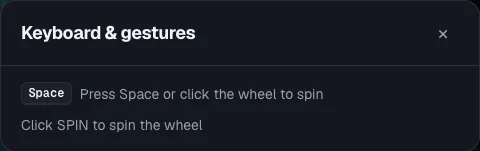
- Whoever has the tab open can spin with the keyboard (press Space) instead of a precise click, which helps on a trackpad during a screen share.
Ready to try it yourself?
Open the toolFrequently asked questions
- Does the wheel work the same on Zoom, Google Meet, and Teams?
Yes. It's a browser tool, so screen-sharing works identically regardless of which video platform you're using.
- Can remote participants spin it themselves, or does only the host control it?
By default, whoever has the tab open controls the spin.
If you want a participant to spin, hand off screen-share control, or share the wheel's saved link so they open and spin it on their own screen.
- Is there a way to save the result for people who missed the meeting?
Take a screenshot after the spin, or drop the result in your meeting notes or chat. A wheel doesn't automatically log spin history the way a polling platform logs responses.
Sources
- Stanford Report: Four causes for 'Zoom fatigue' and their solutions (Jeremy Bailenson, 2021)
- Scientific Reports, 2025: Fighting Zoom fatigue, evidence-based approaches in university online education
- Slido pricing and free-tier details, via GetApp Mentimeter vs. Slido comparison