Customize & Share
How to Spin the Wheel on Stream (OBS & Streamlabs)
Turn a wheel of names, prizes, or challenges into a live on-stream overlay your viewers can watch you spin, using OBS or Streamlabs as a Browser Source.
Key takeaways
- The Embed page generates a link built for this: paste it into OBS or Streamlabs as a Browser Source and it plays like any other wheel.
- An embed is a snapshot taken the moment you generate it. Editing your wheel afterward doesn't change what's already live on stream.
- Add your channel logo before generating the code so it's part of the overlay from your first spin.
- Every embed keeps a small, permanent "Made with Wheel of Names" credit, with no setting to remove it.
What you'll use: the Embed page
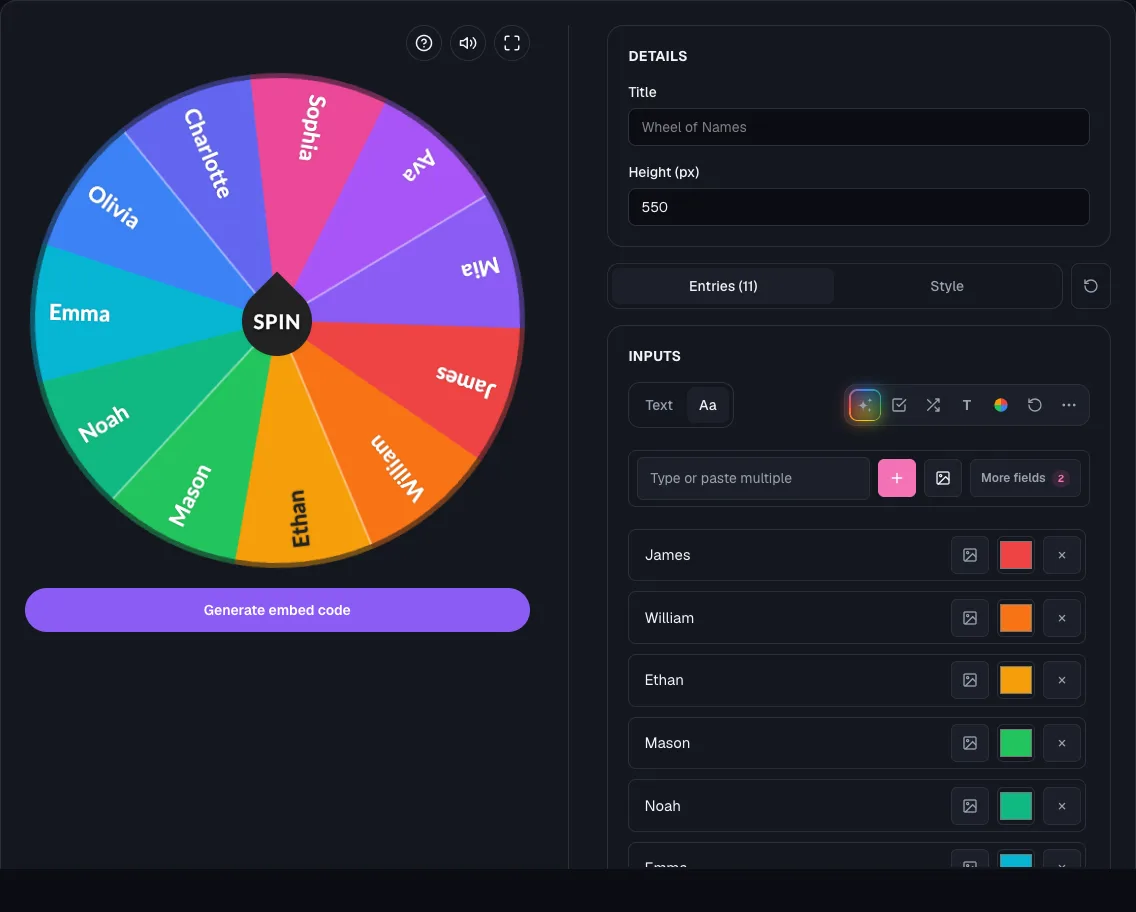
The Embed page builds a copy-paste iframe snippet around any wheel you set up, pointing at a real, spinnable page.
That same URL, the iframe's src, is what a Browser Source in OBS or Streamlabs loads, so no separate streaming tool is needed.
Step 1: Build and style your wheel
Add your entries, whether that's viewer names, prize names, or challenge ideas, then set colors, sounds, and confetti to match your stream.
An embed freezes at the moment you generate it, so finish styling first.
Step 2: Add your branding logo (optional)
Open Branding logo in the settings panel and upload your channel logo before generating the embed code.
Drag it into place, then scroll, trackpad-pinch, or two-finger touch-pinch to resize it. See how to add a branding logo for the full walkthrough.
Step 3: Generate the embed code and grab the link
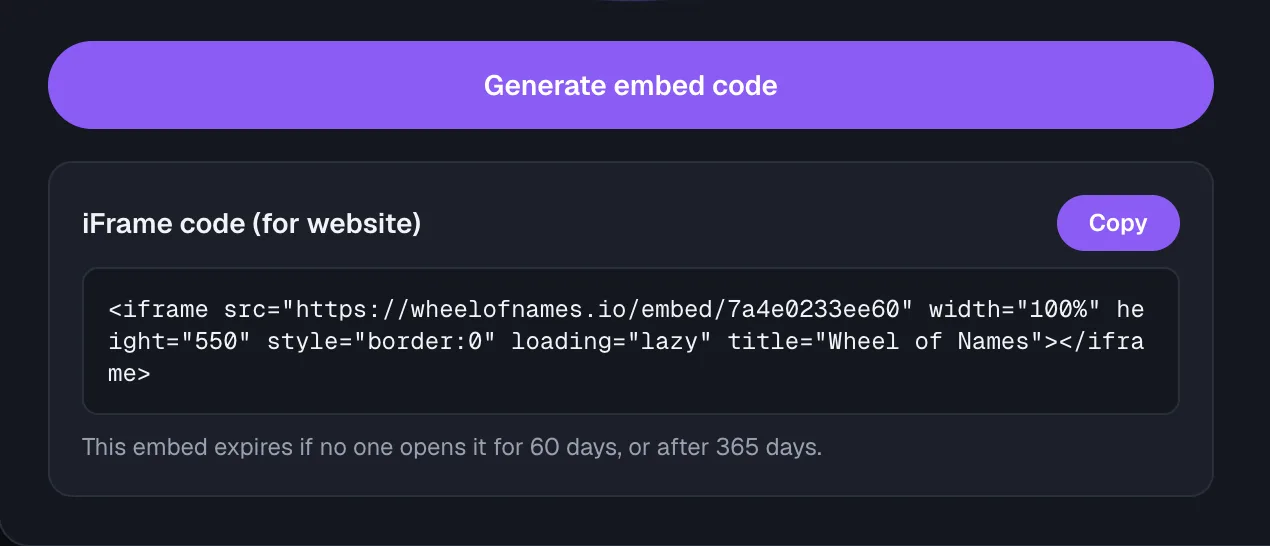
On the Embed page, set a Height in pixels (200 to 2000, default 550) and click Generate embed code.
The generated snippet is an iframe pointing at a dedicated wheel page. Copy the URL inside its src attribute, that's the link a Browser Source needs.
Step 4: Add it as a Browser Source in OBS or Streamlabs
- In OBS or Streamlabs, add a new Browser Source to your scene.
- Paste the embed URL into the source's URL field.
- Set the Browser Source's width and height to roughly match the Height you chose on the Embed page.
- Position and resize the source in your scene layout like any other overlay.
What happens once you're live
The wheel behaves the same on stream as anywhere else: click it to spin and land on a winner.
Editing the original wheel afterward doesn't touch the embed already loaded in your scene. Regenerate the code and swap in the new URL to publish a change.
An active Browser Source keeps loading the page, so a running stream won't hit the 60-day inactivity expiry, though every embed still expires at 365 days regardless.
Frequently asked questions
- Can I edit my wheel and have it update on stream automatically?
No. An embed is a snapshot taken when you click Generate embed code.
Edit your wheel, then generate a new embed code and replace the URL in your Browser Source.
- Does the embed expire while I'm streaming?
No. An active stream keeps loading the page, and an embed only expires after 180 days with no views, so a regular stream keeps it alive indefinitely.
- Can I remove the "Made with Wheel of Names" credit from the overlay?
No, it's a small, permanent part of every embedded wheel with no setting to hide it.
- Do I need to make my wheel public to stream it?
No. Generating an embed code creates a private, spin-only shared wheel automatically. It's never listed in the public gallery.